All three use the same AI engine, the same templates and the same credits. AI Chat opens first; switch to Auto Generate or Manual Setup at any time.
Easiest AI Chat Generator
Just describe what you need. RAFAELA asks only for what is missing.
Type your request in plain words, for example "Create 3 landing pages for these domains, brand keyword BRANDKAMU, Thai content for Thailand".
Paste or list your domains. Answer the few questions RAFAELA still needs (keyword, templates).
Choose templates from the real template cards: one for every domain, or reuse one if you confirm.
Upload a logo, paste a logo link, or skip it to get an automatic text logo.
Check the job summary and credit cost. Change anything by chat or with the buttons, then press Generate Landing Pages.
Follow the progress and download your ZIP.
Nothing is generated and no credits are used while you chat: the job starts only when you confirm it.
Fastest Auto Generate
For many pages quickly. You give the essentials, RAFAELA writes the rest.
Enter how many pages and one Meta Title and Target Keyword.
Paste your domains, one per line.
Optional: add a logo (upload or a link) and pick a theme color.
Choose your templates in the gallery (use Preview to look first). For 5 pages you can choose 5 different templates.
Check the Review Landing Pages table, then press Generate.
Automatically written for every page: meta description, headings, article, FAQ, schema, Open Graph and Twitter tags, canonical link, a local main picture, share image and favicon. No customer reviews or facts are invented.
More control Manual Setup
For pages that need your own wording and details. Every extra field is optional.
Start with the same fields as Auto Generate.
Add your own meta description, article instructions, preferred structure, length and FAQ size.
Type a different title per domain, or let the AI write different titles.
Add genuine customer reviews only if you have them; they are never made up.
Choose the main picture (local, AI, upload or a link) and optional Login / Register buttons.
Anything you leave empty is decided for you, exactly as in Auto Generate. The text is still written by the AI.
Templates. Cards marked Previously used are templates you already used; you can use them again. If you have fewer templates than pages, you confirm the reuse first.
Theme color. The color you choose changes the whole page: background, sections, cards, header, footer, text, buttons and gradients.
Different content. Every page of a batch gets its own angle and structure. A similarity check compares the pages and rewrites a page that is too close to another one. The check shows how much pages overlap; it never promises that text is unique.
Your download. One ZIP with a folder per domain: index.html plus assets/images. Upload each folder to its domain.
Storage. Finished pages are kept for 30 days, then deleted automatically. Download your ZIP in time; your credits are not affected.
Credits. 1 credit = 1 finished page. A page that fails costs nothing, and "Retry failed" only redoes the pages that failed.
Languages: dashboard, country and content
These are three separate settings. Changing one never changes the others.
Dashboard Language. The language of RAFAELA itself (menus, buttons, messages). Change it with the globe button in the header. It does not change your pages.
Target Country. The country your pages are written for. It decides the locale of the page, for example Thailand gives th-TH.
Content Language. The language of the whole generated page: title, description, headings, article, FAQ, menu and footer. If you leave it on Auto, RAFAELA suggests it from the country and your title; you can always change it.
A guided simulation of the whole workflow, from the subscription to the 60-link limit and renewal. Nothing here is real: no links, domains, payments, AI calls or credits are used.
RAFAELA — Cloaking Ads demoDemo animation
Animation with sample data — no real link, domain, payment or credit is used.
Guided demoSafe simulation · sample data
What it looks likeExample screenshots · account details hidden
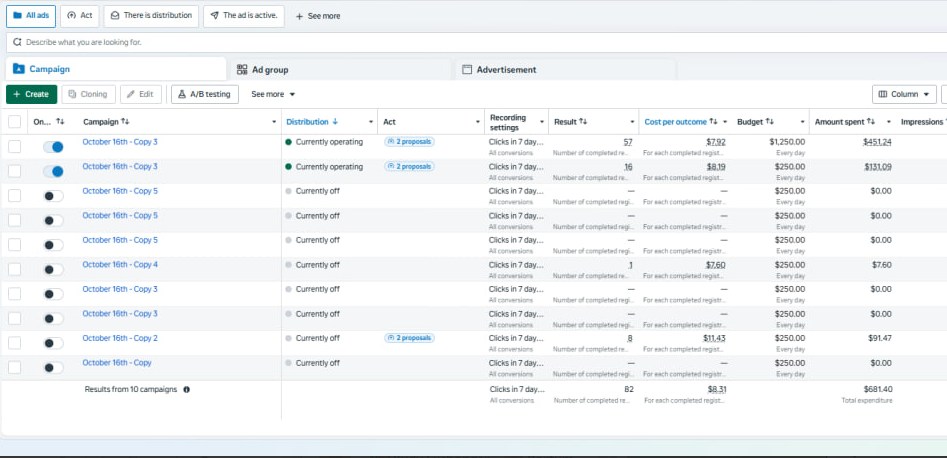
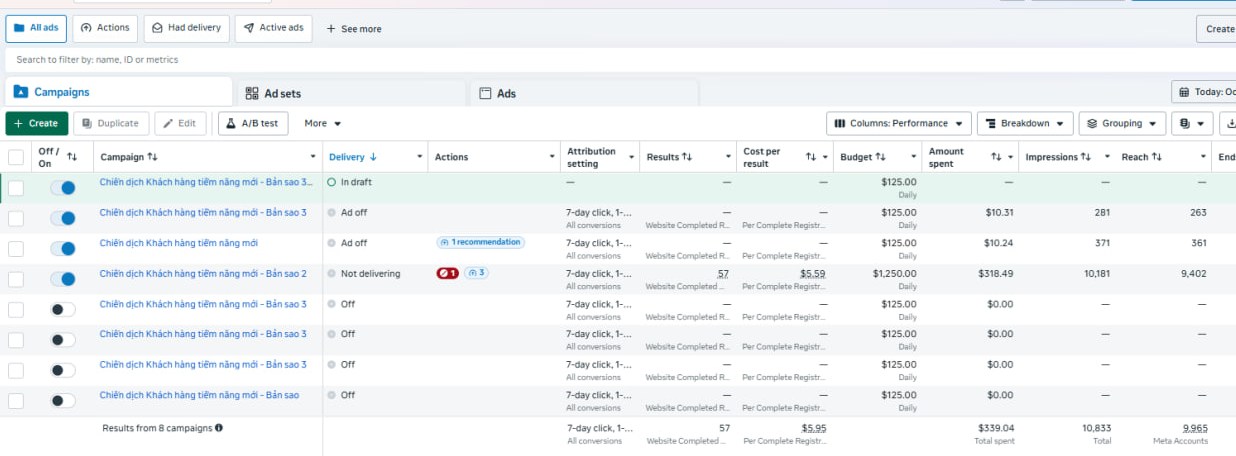
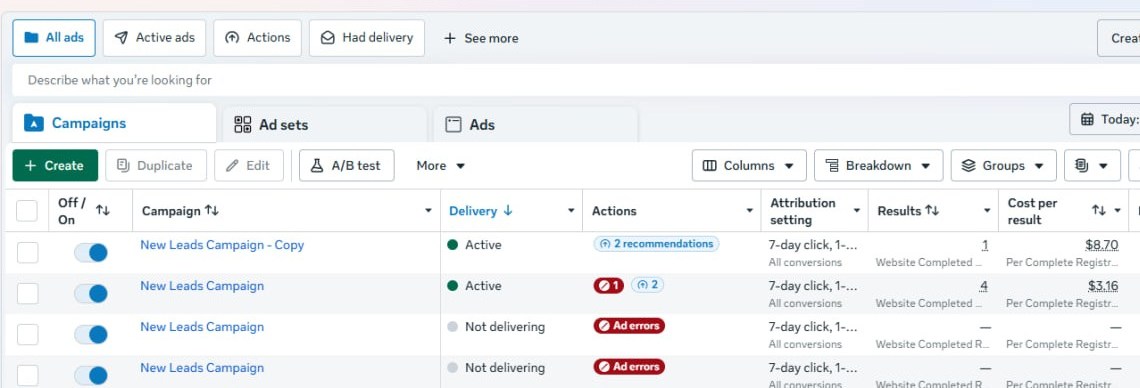
1 · Run each campaign on its own link. Duplicate a campaign, point it to a Cloaking Ads link and keep every campaign separate so you can see what each one does.2 · Compare results per campaign. Check results, cost per result and spend in your ad account, then keep the links that work and replace the rest.3 · Keep your campaigns organised. Use clear campaign names, turn off what is not delivering and scale only what you have checked.
Screenshots of a real ad account, shown as an example of the workflow only. Your numbers will be different and results are not guaranteed.
1 credit = 1 complete landing page. Failed pages cost nothing. Create a free account to try it: your first test is free (up to 5 pages, sample content).